

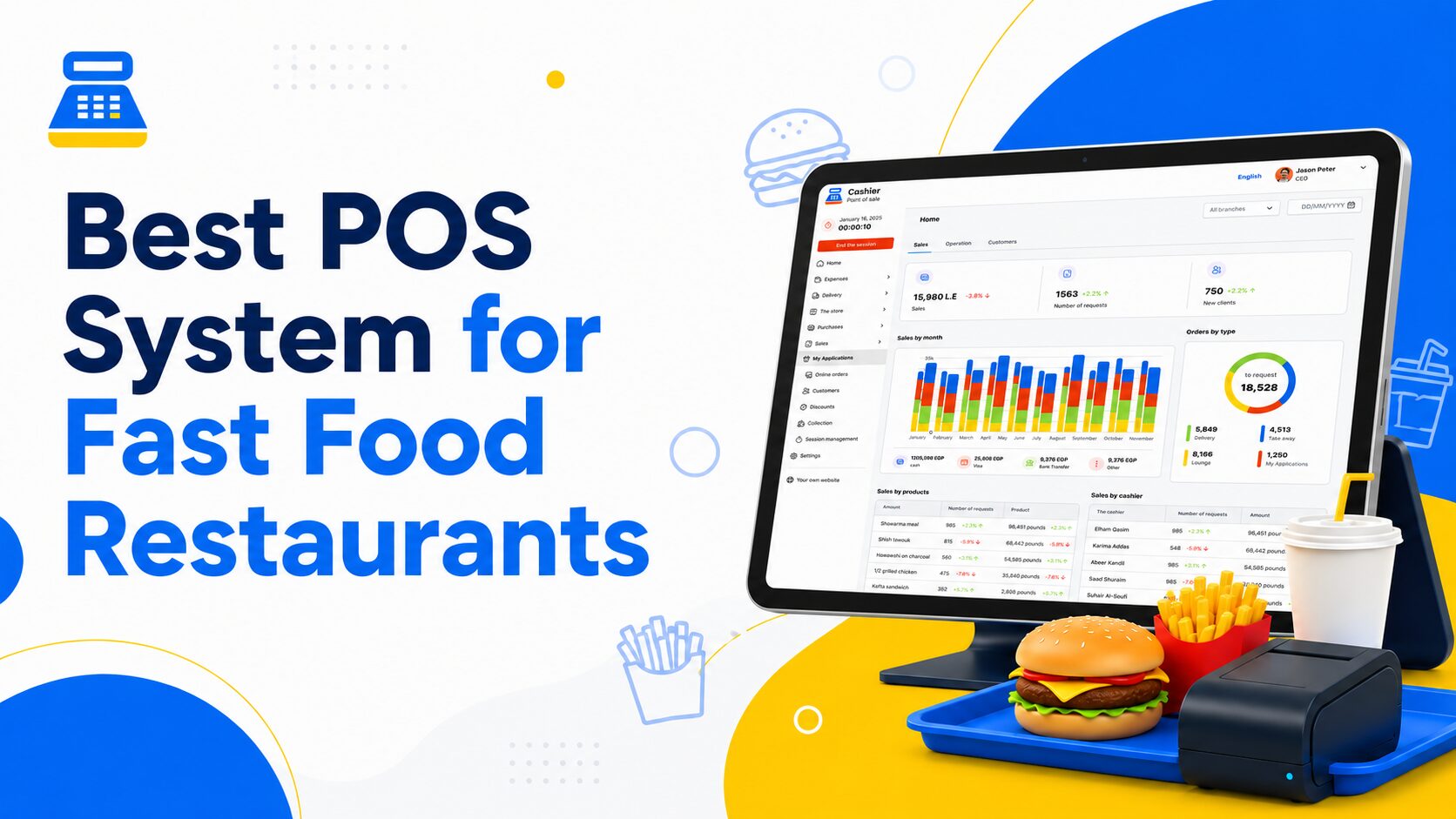
Running a fast food restaurant is all about speed, accuracy, and consistency. Customers expect quick service, correct orders, flexible payment options, and a smooth experience from the moment they place an order until they receive their food. Behind the counter, restaurant owners and managers need to control sales, monitor inventory, manage employees, track performance, and reduce mistakes that can quietly affect profit.
That is why choosing the right POS system for fast food restaurants is no longer just a technical decision. It is an operational decision that affects how quickly your team serves customers, how accurately orders are processed, and how clearly you understand your business performance.
A modern restaurant POS system should do more than print receipts or record payments. It should help you manage daily operations, speed up order entry, organize products and modifiers, track sales, support online and offline selling, and provide useful reports that help you make better decisions.
In this guide, we will explore the most important features fast food restaurants actually need in a POS system, how these features improve daily operations, and how Cashier POS can support restaurants that want a simple, flexible, and reliable way to manage sales from any device.
Organize your sales in seconds with Cashier POS!
Take control of sales and users in moments, and give your business a fully integrated system that runs smoothly.
Get Started For FreeWhy Fast Food Restaurants Need a Specialized POS System
Fast food restaurants operate in a high-pressure environment. Orders come in quickly, customers do not want to wait, and staff members need to process each sale with speed and accuracy. During lunch hours, dinner rushes, weekends, and busy seasons, even a small delay at the cashier can create long lines and frustrated customers.
Traditional methods such as handwritten orders, manual spreadsheets, or basic cash registers may work for a very small operation at the beginning. However, as order volume grows, these methods become harder to manage. Mistakes become more common, inventory becomes harder to track, and managers lose visibility into what is really happening in the business.
A proper restaurant POS system helps connect the most important parts of your operation in one place. It allows your team to enter orders quickly, process payments, track sales, manage products, monitor inventory, and review reports without switching between disconnected tools.
For fast food businesses, this level of organization is essential. The goal is not only to complete sales. The goal is to build a faster, clearer, and more controlled workflow that supports both the front counter and business management.
What Makes Fast Food POS Needs Different?
Not every point of sale system is built for restaurants. A retail store usually sells ready-made products with fixed prices. A fast food restaurant, on the other hand, deals with meals, combos, sizes, add-ons, sauces, toppings, special requests, discounts, and peak-hour pressure.
This is why a general cash register may not be enough for a fast food business.
A Basic Cash Register Records Sales
A basic cash register can help you calculate totals, accept payments, and print receipts. For some small businesses, this may be enough in the very early stage. But it often lacks the flexibility fast food restaurants need, especially when it comes to order customization, product organization, employee permissions, reporting, and inventory visibility.
A Restaurant POS System Manages the Workflow
A restaurant POS is designed to support how food businesses operate. It helps organize menu items, add modifiers, manage offers, track payment methods, and generate reports that show what is selling, when it is selling, and how the business is performing.
For fast food restaurants, the right POS app can make order taking easier, reduce human error, and help managers understand which items are driving revenue.

Key Features Every Fast Food Restaurant POS System Should Have
Choosing a POS system is not about finding the most complicated software. It is about choosing a system that solves the real problems your restaurant faces every day. For fast food places, the most valuable features are usually speed, simplicity, control, and clear data.
1. Fast and Simple Order Entry
Speed is one of the most important factors in any fast food restaurant. When customers are waiting in line, your cashier needs to enter orders quickly without struggling with a slow or confusing system.
A good POS system for fast food restaurants should have a clean and easy interface. Menu items should be organized clearly, so staff can find meals, drinks, desserts, sides, and offers within seconds. The fewer steps it takes to place an order, the faster your team can serve customers.
Fast order entry also reduces pressure on employees. When the system is simple, new staff members can learn it faster, mistakes become less frequent, and service remains smoother during rush hours.
With Cashier POS, businesses can manage sales through an easy-to-use POS app available across mobile, desktop, and web. This flexibility helps fast food restaurants keep sales moving from the device that fits their workflow best.
2. Easy Menu Management
Fast food menus change often. A restaurant may add a new meal, update prices, launch a limited-time offer, create a combo, or temporarily hide an unavailable item. If your menu is difficult to update, your team may face confusion between what is listed, what is available, and what is charged at checkout.
A modern online POS should make menu management simple. Restaurant owners and managers should be able to add products, edit prices, organize categories, and update available items without complicated technical steps.
Clear menu organization is especially important for fast food places. You may need categories such as:
- Burgers
- Fried chicken
- Sandwiches
- Pizza
- Fries and sides
- Drinks
- Desserts
- Family meals
- Combos
- Limited-time offers
When the menu is structured properly, cashiers can find items faster, customers receive better service, and managers maintain better control over pricing and availability.
3. Support for Modifiers, Add-ons, and Custom Orders
Fast food customers often customize their orders. One customer may want extra cheese, another may remove onions, another may upgrade the drink size, and another may add an extra sauce. These details may seem small, but they are a major part of the customer experience.
A strong restaurant POS system should make it easy to handle modifications and add-ons. Instead of relying on verbal notes or handwritten instructions, the cashier should be able to record the customer’s request clearly inside the system.
This helps reduce communication mistakes and ensures the final order matches what the customer asked for. It also helps the business calculate prices correctly when customers add paid extras or upgrade items.
For fast food restaurants, order accuracy matters as much as speed. A fast order that is wrong can lead to waste, refunds, complaints, and poor reviews. A good POS system helps protect both the customer experience and the restaurant’s profit.
4. Combo Meals and Offers
Combos are a key part of fast food sales. They help increase average order value, simplify customer decisions, and promote popular item combinations. But if your POS system does not support offers properly, managing combos can become confusing.
A fast food POS system should help you organize promotions and meal deals clearly. Whether you offer a lunch deal, a family meal, a buy-one-get-one promotion, or a seasonal discount, your team should be able to apply the offer quickly and accurately.
This is important because manual discounts can create errors. Staff may apply the wrong discount, forget to include an item, or charge the wrong price. A clear POS setup helps keep offers consistent and prevents pricing confusion during busy shifts.
Promotions should help your business grow, not slow down your team.
5. Online and Offline POS Functionality
Fast food sales should not stop because the internet goes down. Even a short connection issue can create delays, long queues, and lost sales. This is why an offline POS feature is extremely important for restaurants that need continuous service.
A reliable POS system should allow your team to continue selling even when the internet connection is unavailable. Once the connection returns, the system should sync data so your sales records and reports stay updated.
Cashier POS works online and offline, allowing businesses to continue selling even when the internet is unavailable. This makes it a strong option for restaurants that cannot afford interruptions during peak hours.
For fast food places, offline capability is not just a convenience. It is a safeguard against downtime.
6. Inventory Tracking and Product Control
Inventory is one of the biggest challenges in fast food operations. If you run out of bread, chicken, fries, sauces, or packaging, you may be unable to sell several menu items. On the other hand, overstocking ingredients can lead to waste, spoilage, and unnecessary costs.
A good POS system should help you monitor products and understand how sales affect stock levels. Even basic inventory visibility can help managers know which items are moving quickly and which products need restocking.
Inventory tracking helps fast food restaurants answer important questions:
- Which products sell the most?
- Which items are slow-moving?
- When do certain products sell faster?
- Are there items that frequently run out?
- Are there products that are being overstocked?
Over time, these insights help restaurant owners plan purchases more accurately, reduce waste, and protect profit margins.
7. Multiple Payment Options
Customers today expect flexible payment choices. Some prefer cash, others use cards, mobile wallets, or digital payment methods. If your restaurant does not support the payment method a customer wants, it can slow down checkout or affect the overall experience.
A modern POS app should help you record and manage different payment methods clearly. This is not only useful for customers, but also for end-of-day reconciliation.
Managers need to know how much came from cash, how much came from card payments, and how much came from other methods. When payment data is organized inside the POS system, closing the day becomes easier and more accurate.
Better payment tracking means fewer mistakes, faster checkout, and clearer financial control.
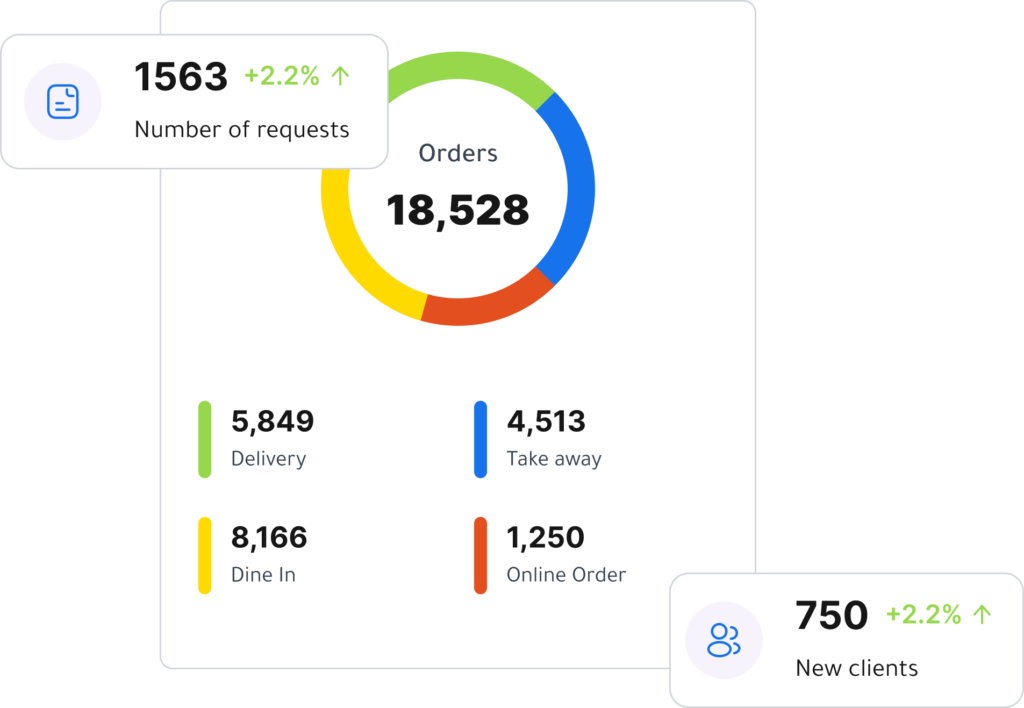
8. Real-Time Sales Reports
A restaurant owner should not have to guess how the business is performing. Reports are one of the most valuable parts of a modern POS system because they turn daily transactions into useful business insights.
A good free point of sale solution should help you see important sales data clearly, such as:
- Total sales
- Number of orders
- Best-selling items
- Slow-moving products
- Sales by time period
- Sales by payment method
- Employee performance
- Daily, weekly, and monthly trends
These reports help you make better decisions. For example, you may discover that a certain combo sells best during lunch, while another item performs better at night. You may notice that weekends require more staff, or that a certain product is popular but not profitable enough.
With better reports, you can move from guessing to managing based on real data.
9. Employee Management and User Permissions
Fast food restaurants often have multiple employees using the POS system. Cashiers, supervisors, managers, and owners may all need different levels of access. That is why user management and permissions are important.
A cashier may only need access to sales screens, while a manager may need access to reports, price changes, refunds, or discounts. Clear permissions help protect sensitive information and reduce unauthorized changes.
Employee permissions also support accountability. If a discount is applied, an order is canceled, or a sale is edited, the system can help managers understand who performed the action.
For restaurants with multiple shifts, this level of control helps create a more organized and secure operation.
10. Multi-Device Access
Fast food businesses need flexibility. Some restaurants operate from a desktop cashier setup, while others prefer tablets, mobile devices, or web access. A modern POS system should not lock your business into one device or one setup.
Cashier POS is available as a mobile app for iOS and Android, a desktop app, and a web-based POS. This gives restaurant owners the flexibility to manage sales, payments, and daily operations from the device that works best for them.
This is especially useful for growing restaurants, small food shops, food trucks, quick-service counters, and businesses that need a POS system without investing in complicated hardware from the beginning.
A flexible POS setup makes it easier to start, operate, and scale.
11. Support for Growth and Multiple Business Types
Your restaurant may start with one branch today, but the goal may be to expand later. Choosing a limited system can create problems when the business grows. You may eventually need better reporting, more users, more devices, or support for multiple business activities.
A good POS system should be able to grow with your business. It should support your current needs while giving you room to expand.
Cashier POS is built for restaurants, supermarkets, and retail businesses of different sizes. This makes it useful for business owners who may operate more than one type of business or want a flexible POS solution that supports different workflows.
When choosing a POS system, always think beyond today’s needs. The right system should support where your business is going, not only where it is now.
How a POS System Helps Reduce Fast Food Order Mistakes
Order mistakes are one of the most common problems in fast food restaurants. A wrong item, missing add-on, incorrect size, or inaccurate price can lead to customer dissatisfaction and unnecessary waste.
A modern POS system helps reduce these mistakes by making the order process more structured. Instead of writing notes manually or relying on memory, the cashier selects items directly from the menu and adds modifications clearly.
This improves accuracy in several ways:
- Prices are calculated automatically.
- Menu items are selected from predefined options.
- Add-ons and modifiers are easier to record.
- Payment methods are tracked clearly.
- Receipts reflect the actual order details.
Reducing order mistakes does more than improve customer satisfaction. It also reduces food waste, saves staff time, and helps protect your restaurant’s reputation.
How POS Reports Can Improve Fast Food Profitability
Profit in fast food restaurants does not come only from selling more. It also comes from controlling costs, reducing waste, understanding product performance, and improving operational efficiency.
A POS system gives you access to sales data that can reveal hidden opportunities. For example, you may find that one item sells very well but has a low profit margin. You may discover that a certain offer attracts many customers but lowers the average order value. You may also notice that certain hours are busier than expected and require more staff.
These insights help you adjust your menu, improve pricing, plan inventory, manage staffing, and focus on the products that bring the best results.
Without reports, restaurant decisions often depend on assumptions. With reports, you can make decisions based on clear numbers.
Why Manual Management Is Not Enough for Fast Food Restaurants
Some restaurant owners rely on notebooks, spreadsheets, or simple cash registers because they seem easier at first. But as the restaurant becomes busier, manual management quickly creates problems.
Manual systems can lead to:
- Missing sales records
- Incorrect totals
- Poor inventory visibility
- Slow reporting
- Unclear employee accountability
- Difficulty tracking payment methods
- More time spent on end-of-day calculations
A modern POS system simplifies these tasks by keeping sales, products, payments, employees, and reports in one place. This saves time and reduces the chances of repeated mistakes.
For fast food restaurants, where speed and accuracy matter every day, switching from manual tracking to a digital POS system can make operations much smoother.
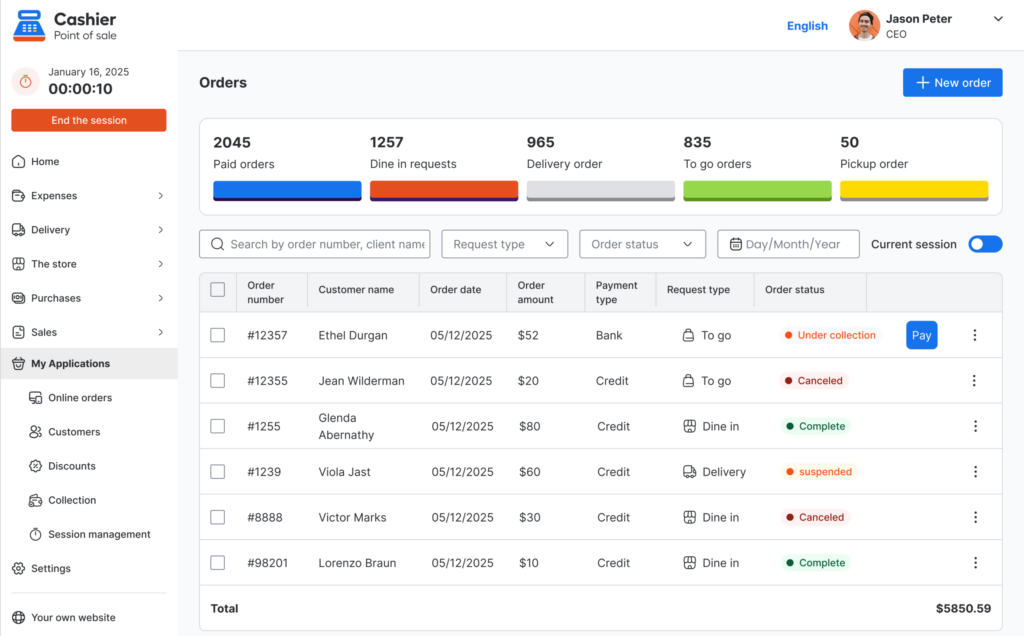
What to Look for Before Choosing a Fast Food POS System
Before choosing any POS software, it is important to focus on practical needs. A system may look impressive, but it must fit the reality of your restaurant.
Is It Easy for Staff to Use?
Your team should be able to learn the system quickly. A complicated interface can slow down service and create frustration during busy hours.
Does It Support Online and Offline Selling?
Internet problems should not stop your restaurant from serving customers. Look for an online POS that also works as an offline POS when needed.
Can It Manage Menu Items Clearly?
Fast food restaurants need organized categories, easy product updates, and support for different item types.
Does It Provide Useful Reports?
Reports should be clear and easy to understand. You should be able to see sales, popular items, payment methods, and daily performance without complicated steps.
Can It Grow With Your Business?
Choose a system that can support your business as it grows, whether that means more products, more employees, more devices, or more locations.
Is It Cost-Effective?
A POS system should help you run your business better without becoming a heavy cost. That is why many business owners look for a free POS system or a free restaurant POS that gives them the essential tools they need to start and manage operations efficiently.
Why Choose Cashier POS for Fast Food Restaurants?
Cashier POS is a free point of sale system built for restaurants, supermarkets, and retail businesses of all sizes. It is designed to help business owners manage sales, payments, and daily operations with more flexibility and control.
For fast food restaurants, Cashier POS offers several practical advantages:
- It supports online and offline selling.
- It is available on mobile, desktop, and web.
- It helps businesses manage sales from different devices.
- It supports daily operations without unnecessary complexity.
- It is suitable for restaurants, retail stores, and supermarkets.
- It provides a flexible starting point for businesses looking for a free POS system.
Whether you are opening a small fast food shop, managing a busy quick-service restaurant, or looking for a simple POS app to organize sales, Cashier POS gives you a practical way to digitize your checkout process and keep your business moving.
For owners searching for a free POS system download, Cashier POS can be a strong option because it combines flexibility, accessibility, and essential point of sale features in one solution.
Common Mistakes to Avoid When Choosing a Restaurant POS
Choosing the wrong POS system can create more problems than it solves. Before making a decision, avoid these common mistakes.
Choosing Based on Price Only
Cost matters, but the cheapest option is not always the best. A low-cost system that lacks reports, inventory tools, offline access, or multi-device support can create hidden costs later.
Ignoring Ease of Use
A POS system should make work faster, not harder. If employees struggle to use it, service speed may suffer.
Not Thinking About Offline Access
Fast food restaurants cannot afford to stop selling when the internet connection fails. Offline functionality is an important feature to consider.
Overlooking Reports
Sales reports help you understand your business. Without them, you may miss important trends and opportunities.
Choosing a System That Cannot Scale
Your needs may grow over time. Pick a POS system that can support your restaurant today and adapt as your business expands.
Signs Your Fast Food Restaurant Needs a Better POS System
You may already be using a basic system, but it might not be enough anymore. Here are signs that your restaurant may need a better point of sale solution:
- Orders take too long to enter.
- Staff often make mistakes during checkout.
- You cannot easily see your best-selling items.
- End-of-day sales calculations take too much time.
- Inventory is hard to track.
- You lose sales when the internet goes down.
- Reports are unclear or unavailable.
- Employees have access to information they should not edit.
- Your current system does not work well on the devices you prefer.
If these problems sound familiar, upgrading to a modern POS system can help you improve speed, accuracy, and control.
Organize your sales in seconds with Cashier POS!
Take control of sales and users in moments, and give your business a fully integrated system that runs smoothly.
Get Started For FreeFrequently Asked Questions (FAQ)
A POS system for fast food restaurants is software that helps restaurants take orders, process payments, manage products, track sales, and review reports. It is designed to make daily restaurant operations faster and more organized.
Fast food restaurants need a POS system because they handle many orders quickly. A good POS system helps reduce mistakes, speed up service, organize payments, track sales, and give managers better visibility into business performance.
Yes, some modern POS systems support offline selling. Cashier POS works online and offline, so businesses can continue selling even when the internet is unavailable.
Yes. Cashier POS is suitable for restaurants, including fast food places that need a simple and flexible way to manage sales, payments, and daily operations from mobile, desktop, or web.
The best POS app for a small fast food business should be easy to use, support fast checkout, work across devices, provide reports, and help the business continue selling online and offline. Cashier POS is a practical choice for businesses looking for a free POS system that supports these needs.
A restaurant POS should include fast order entry, menu management, payment tracking, sales reports, employee permissions, inventory visibility, online and offline functionality, and support for multiple devices.
Conclusion
Choosing the right POS system for fast food restaurants can make a major difference in how your business operates. Fast food success depends on quick service, accurate orders, organized payments, reliable reporting, and the ability to keep selling even when challenges happen.
A modern POS system helps restaurant owners move away from manual processes and manage sales with more confidence. It gives teams a faster way to serve customers and gives managers the information they need to make better decisions.
When comparing POS solutions, focus on the features that matter most: speed, ease of use, online and offline functionality, menu control, payment tracking, sales reports, employee permissions, and device flexibility.
Cashier POS is built to support restaurants, supermarkets, and retail businesses with a free point of sale system that works online and offline across mobile, desktop, and web. For fast food restaurants looking for a flexible, simple, and cost-effective POS app, Cashier POS can be the right step toward faster service, better control, and smarter growth.