

A Point of Sale system is the operational heart of modern retail stores, supermarkets, and restaurants. Whether you operate a small café or a multi-branch retail chain, your POS system directly impacts sales accuracy, inventory management, reporting, customer satisfaction, and profitability.
However, simply installing a POS App or downloading a Free POS System is not enough. Many business owners unknowingly make critical mistakes when implementing or using their system. These errors can lead to inaccurate reporting, financial losses, operational inefficiencies, and even customer dissatisfaction.
In this comprehensive guide, we will explore the most common mistakes businesses make when using a Point of Sale system and explain exactly how to avoid them. By applying these best practices, you can transform your POS into a powerful growth engine rather than a source of problems.
Organize your sales in seconds with Cashier POS!
Take control of sales and users in moments, and give your business a fully integrated system that runs smoothly.
Get Started For FreeWhy Proper POS Usage Matters
A modern online POS or offline point of sale system does more than process payments. It:
- Tracks sales in real time
- Manages inventory automatically
- Generates detailed financial reports
- Monitors staff performance
- Supports multi-location management
- Enhances customer experience
When used correctly, a Free Point of Sale solution can reduce errors, increase efficiency, and support long-term growth. When used incorrectly, it can create confusion, data inaccuracies, and operational bottlenecks.
Let us examine the most frequent mistakes and how to avoid them.
1. Choosing the Wrong POS System for Your Business Type
The Mistake
Many business owners select a POS system based solely on price or popularity without considering their industry-specific needs. A restaurant POS has very different requirements compared to a retail or supermarket POS.
For example:
- Restaurants need table management, split billing, and kitchen order tickets.
- Retail stores need barcode scanning and inventory tracking.
- Supermarkets require fast checkout speed and bulk product handling.
How to Avoid It
Before selecting a POS App or downloading a Free POS System, assess your business requirements:
- Do you need online POS capabilities for remote reporting?
- Do you require offline POS functionality to continue sales during internet outages?
- Do you need inventory alerts and supplier tracking?
Choosing a system like Cashier POS, which supports restaurants, retail stores, and supermarkets with both online and offline capabilities, ensures flexibility and scalability from day one.

2. Failing to Train Staff Properly
The Mistake
Even the best Free Point of Sale system can become ineffective if staff members are not properly trained. Common results include:
- Incorrect order entry
- Refund processing errors
- Inventory mismatches
- Slow checkout times
How to Avoid It
Implement structured POS training for all employees:
- Provide hands-on sessions.
- Create simple user guides.
- Conduct periodic refresher training.
- Assign role-based permissions.
A well-designed POS App such as Cashier POS is intuitive, but structured training ensures consistent and accurate use across shifts.
3. Ignoring Inventory Management Features
The Mistake
Many businesses use their POS only for sales processing and ignore built-in inventory tools. This leads to:
- Stock shortages
- Overstocking
- Manual tracking errors
- Increased waste
How to Avoid It
Leverage your POS inventory features:
- Enable automatic stock deduction.
- Set low-stock alerts.
- Conduct regular inventory audits.
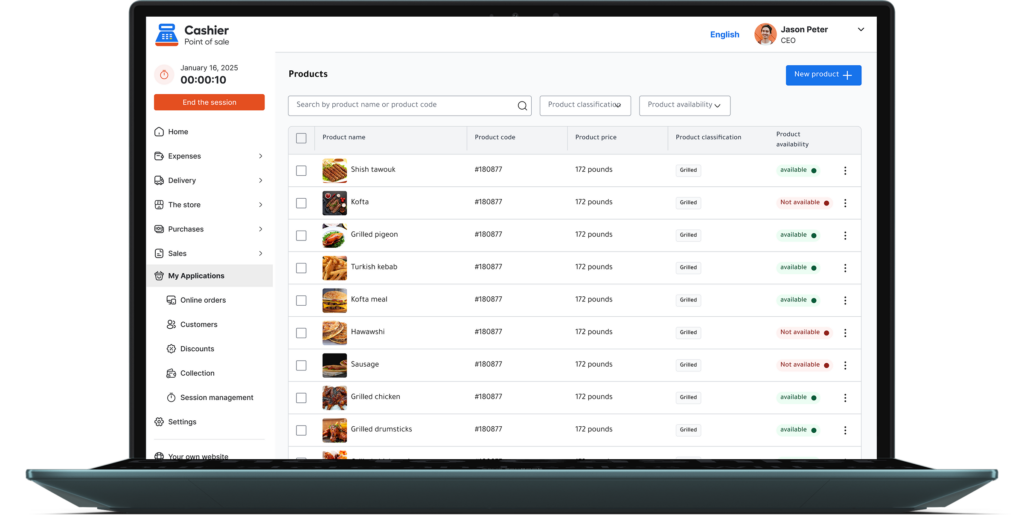
- Use reporting tools to identify fast and slow-moving products.
A Free POS System with integrated inventory management eliminates the need for manual spreadsheets and reduces costly mistakes.
4. Not Using Reporting and Analytics Effectively
The Mistake
POS reports are often underutilized. Many business owners rely on daily cash totals but ignore deeper analytics such as:
- Profit margins
- Best-selling products
- Peak sales hours
- Employee performance
How to Avoid It
Use the reporting dashboard weekly and monthly to:
- Adjust pricing strategies.
- Optimize staffing schedules.
- Identify underperforming items.
- Improve promotional campaigns.
An advanced online POS system provides real-time reporting accessible from anywhere, allowing better decision-making.
5. Poor Data Backup and Security Practices
The Mistake
Businesses often assume their POS automatically secures all data. Without proper backup procedures, they risk:
- Data loss
- Financial discrepancies
- Compliance issues
How to Avoid It
Choose a POS system that offers:
- Cloud-based backup
- Secure login credentials
- Role-based access control
- Encrypted transactions
A reliable Free POS System download should prioritize both data protection and operational continuity.
6. Overcomplicating the Setup
The Mistake
Some businesses configure too many unnecessary features during initial setup, causing confusion and operational delays. Instead of focusing on essential operations such as product setup, payment processing, and tax configuration, they attempt to activate every available tool at once. This often leads to cluttered dashboards, complicated workflows, staff frustration, and slower checkout performance. Overcomplicated POS configurations can reduce productivity, increase training time, and create avoidable operational errors during busy hours.
How to Avoid It
Start simple and build gradually:
- Set up core products and categories clearly and logically.
- Configure taxes accurately to avoid reporting discrepancies.
- Establish payment methods that match your daily operations.
- Assign user roles and permissions before enabling advanced tools.
- Gradually enable advanced features such as analytics, loyalty programs, or multi-location management once your team is comfortable.
By implementing a phased setup strategy, businesses can ensure smoother adoption and fewer disruptions. Scalable solutions such as Cashier POS allow businesses to expand functionality over time without overwhelming staff, ensuring that the POS system grows alongside the business rather than complicating it.
7. Neglecting Offline Capabilities
The Mistake
Relying entirely on an internet connection can be extremely risky for any business that depends on continuous sales transactions. If your online POS system goes offline due to network failure, router issues, service provider downtime, or unexpected technical problems, your checkout process may stop instantly. Without offline backup functionality, staff may be unable to process payments, access product information, or retrieve pricing data. This can lead to long customer wait times, abandoned purchases, frustrated shoppers, and immediate revenue loss. For busy restaurants and retail stores, even a short interruption can significantly impact daily sales and brand reputation.
How to Avoid It
Always choose a POS system that fully supports offline POS operations as part of its core functionality, not as an optional add-on. A strong offline POS system ensures:
- Continued sales during internet outages without interrupting checkout operations
- Secure local data storage that protects transaction records while offline
- Automatic synchronization of sales, inventory, and reports once the internet connection is restored
- No disruption in customer service, even during peak hours
- Business continuity that protects revenue and operational stability
For restaurants, supermarkets, and retail businesses, offline functionality is not optional—it is essential. A reliable Free POS System with both online POS and offline POS capabilities guarantees that your business remains operational under all circumstances, ensuring customer trust and consistent performance.
8. Failing to Update the System Regularly
The Mistake
Outdated POS software is one of the most overlooked risks in business operations. Many companies delay updates because they fear downtime or assume their current system is “working fine.” However, outdated software may lead to:
- Security vulnerabilities that expose sensitive sales and customer data
- System bugs that cause crashes, slow performance, or transaction errors
- Compatibility issues with new devices, payment terminals, or operating systems
- Reporting inaccuracies due to unresolved technical glitches
- Increased risk of data corruption or synchronization failures in online POS environments
When a Free POS System or POS App is not updated regularly, it gradually becomes less secure and less efficient. Over time, this can directly impact revenue, customer trust, and operational stability.
How to Avoid It
To protect your business and maintain peak performance:
- Install updates promptly after verifying compatibility with your hardware.
- Monitor release notes to understand new features, security patches, and improvements.
- Schedule updates during non-peak hours to avoid operational disruption.
- Train staff on new features to ensure they are used effectively.
- Regularly review system performance after updates to confirm stability.
Consistent updates strengthen security, enhance speed, improve user experience, and ensure compliance with evolving payment standards. Regular maintenance is essential for any modern POS App used daily, especially for businesses relying on both online POS and offline POS functionality for uninterrupted operations.
9. Not Customizing the POS for Workflow Efficiency
The Mistake
Using default settings without adapting them to your workflow may slow down operations. Every business has unique processes, product structures, and customer interaction patterns. When a POS system is left in its default configuration, it may not align with how your staff actually works during busy periods. This can result in longer checkout times, unnecessary screen navigation, order entry errors, and reduced overall efficiency. In high-volume environments such as restaurants, supermarkets, and retail stores, even a few extra seconds per transaction can create long queues and negatively affect customer experience.
How to Avoid It
To maximize workflow efficiency and fully leverage your Free POS System, consider the following improvements:
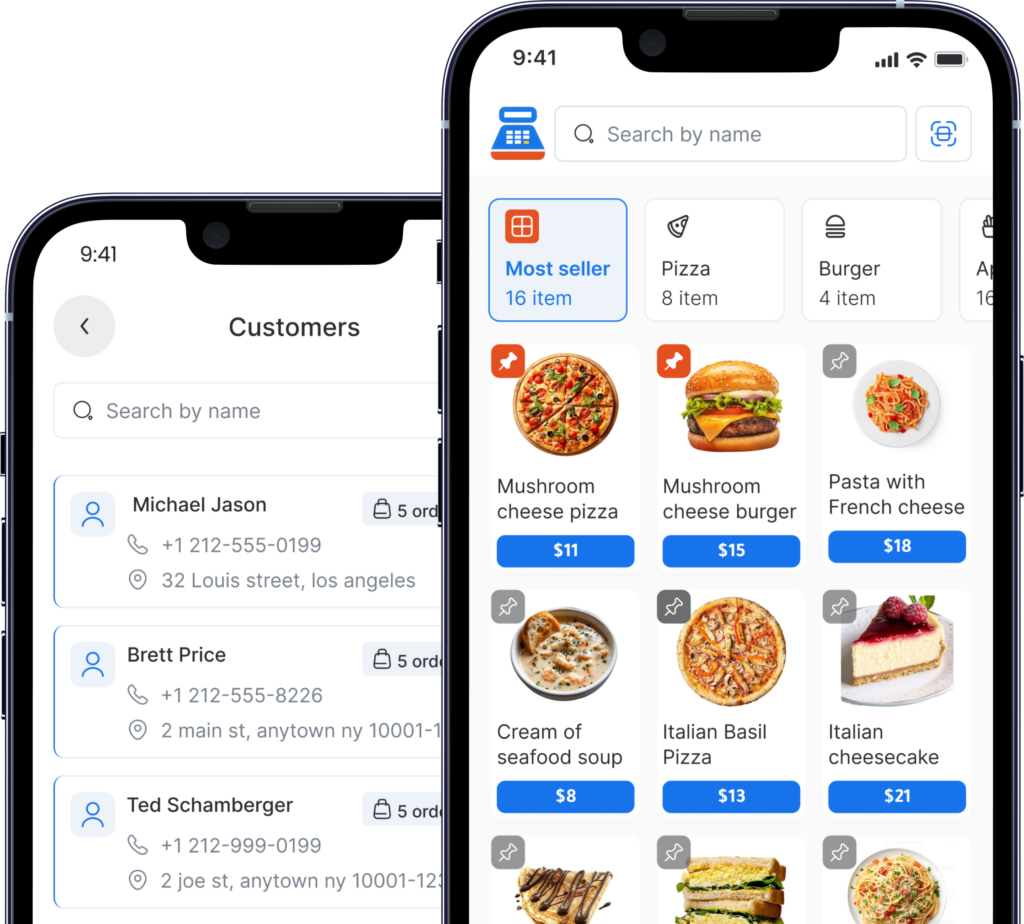
- Customize product categories to reflect how items are logically grouped in your business.
- Organize frequently sold items on the main screen for quick and intuitive access.
- Use shortcuts or quick keys for popular products and combo offers.
- Adjust receipt formats and payment buttons to match your daily transaction flow.
- Configure role-based dashboards so each employee sees only the tools relevant to their responsibilities.
A well-organized restaurant POS or retail POS, for example, can significantly reduce order entry time during peak hours, improve staff productivity, and enhance the overall customer experience. Proper customization transforms a basic POS App into a powerful operational tool that supports speed, accuracy, and long-term business growth.
10. Ignoring Customer Experience Integration
The Mistake
Many businesses fail to use their POS to enhance customer satisfaction. Instead of viewing their Point of Sale system as a customer engagement tool, they treat it only as a payment processor. This limited approach prevents businesses from leveraging valuable customer data, personalized marketing opportunities, and loyalty-building features. As a result, they miss opportunities to strengthen relationships, increase repeat visits, and improve overall brand perception. In competitive industries such as restaurants and retail, neglecting customer experience integration can directly impact long-term revenue growth.
How to Avoid It
To transform your Free POS System into a customer retention engine, consider implementing the following strategies:
- Enable digital receipts to provide convenience and collect customer contact information.
- Implement loyalty programs that reward repeat purchases and encourage return visits.
- Track customer purchase history to personalize promotions and recommendations.
- Use targeted discounts based on buying behavior and seasonal trends.
- Analyze customer data reports to identify high-value customers and purchasing patterns.
A Free restaurant POS solution with advanced customer tracking and reporting capabilities improves retention, increases repeat sales, and enhances the overall customer experience. By using your POS App strategically, you can build stronger relationships, encourage loyalty, and create a consistent, data-driven engagement strategy that supports sustainable business growth.
How Cashier POS Helps You Avoid These Mistakes
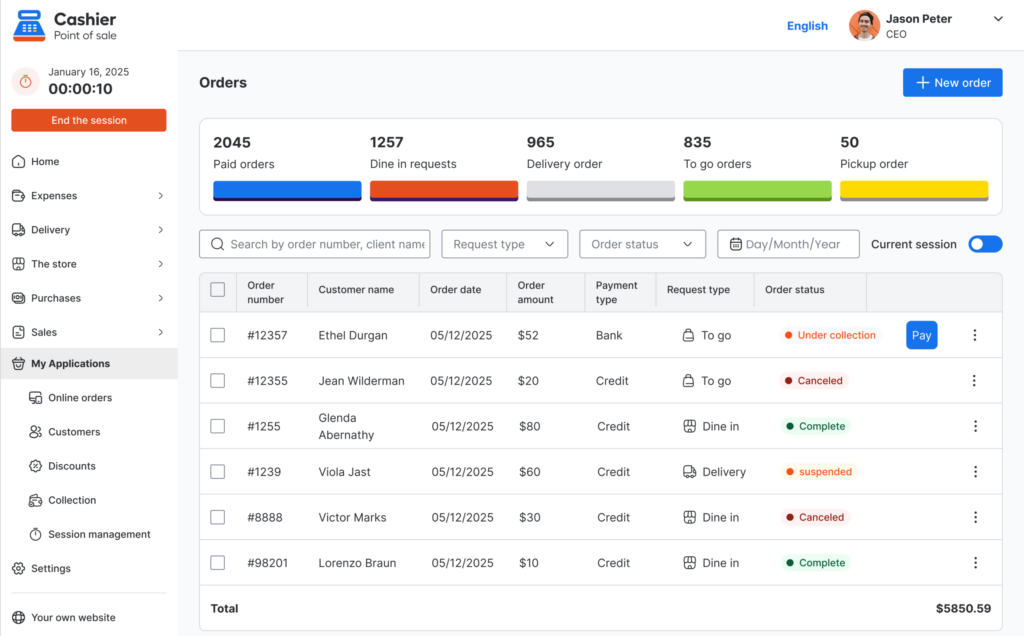
Cashier POS is designed as a Free POS System that supports restaurants, supermarkets, and retail businesses of all sizes. It works both online and offline, ensuring uninterrupted operations.
Key benefits include:
- Easy-to-use POS App interface
- Real-time reporting
- Inventory automation
- Role-based permissions
- Secure cloud backup
- Offline POS functionality
- Multi-device compatibility
By combining flexibility with simplicity, Cashier POS helps businesses avoid common implementation errors and operate more efficiently.
Best Practices for Maximizing Your POS Investment
To fully leverage your Free Point of Sale system and turn it into a long-term growth engine, businesses should adopt a structured optimization strategy:
- Conduct quarterly performance reviews to evaluate sales trends, profit margins, and operational efficiency.
- Train new staff immediately and provide refresher sessions to maintain consistent POS usage standards.
- Monitor daily sales and weekly trends to quickly identify performance fluctuations or unusual patterns.
- Automate inventory whenever possible to reduce manual errors and prevent stock shortages.
- Use analytics for data-driven decisions related to pricing, promotions, staffing, and purchasing.
- Review user permissions regularly to ensure secure access control and prevent internal errors.
- Compare monthly and yearly reports to measure growth and identify expansion opportunities.
- Integrate customer insights into marketing strategies to increase retention and repeat sales.
Treat your POS system as a strategic business management platform, not just a payment processor. A modern Free POS System such as Cashier POS can centralize sales, inventory, reporting, and customer data into one unified dashboard. When managed proactively and reviewed consistently, your POS becomes a powerful decision-making tool that supports scalability, operational transparency, and sustainable profitability.
Organize your sales in seconds with Cashier POS!
Take control of sales and users in moments, and give your business a fully integrated system that runs smoothly.
Get Started For FreeFrequently Asked Questions (FAQ)
The most common mistake is failing to utilize inventory and reporting features effectively. Many businesses only use their POS for payment processing.
The best solution offers both. An online POS provides real-time access, while offline POS ensures uninterrupted sales during internet outages.
Yes, if it offers essential features such as reporting, inventory tracking, and data security. Many modern Free POS System solutions provide enterprise-level functionality.
A restaurant POS improves order accuracy, reduces waste, tracks peak hours, and provides detailed profit reports to guide decision-making.
Conclusion
A point of sale system is one of the most powerful tools in modern business operations. However, improper implementation and misuse can limit its effectiveness.
By avoiding common mistakes such as poor training, ignoring analytics, neglecting offline functionality, and failing to customize workflows, you can maximize efficiency and profitability.
A robust Free POS System like Cashier POS offers the flexibility, reliability, and advanced features required for restaurants, retail stores, and supermarkets. When used strategically, it becomes more than a transaction tool, it becomes the backbone of sustainable business growth.
Invest time in proper setup, continuous training, and data analysis. Your POS system should not only process sales, it should drive success.