

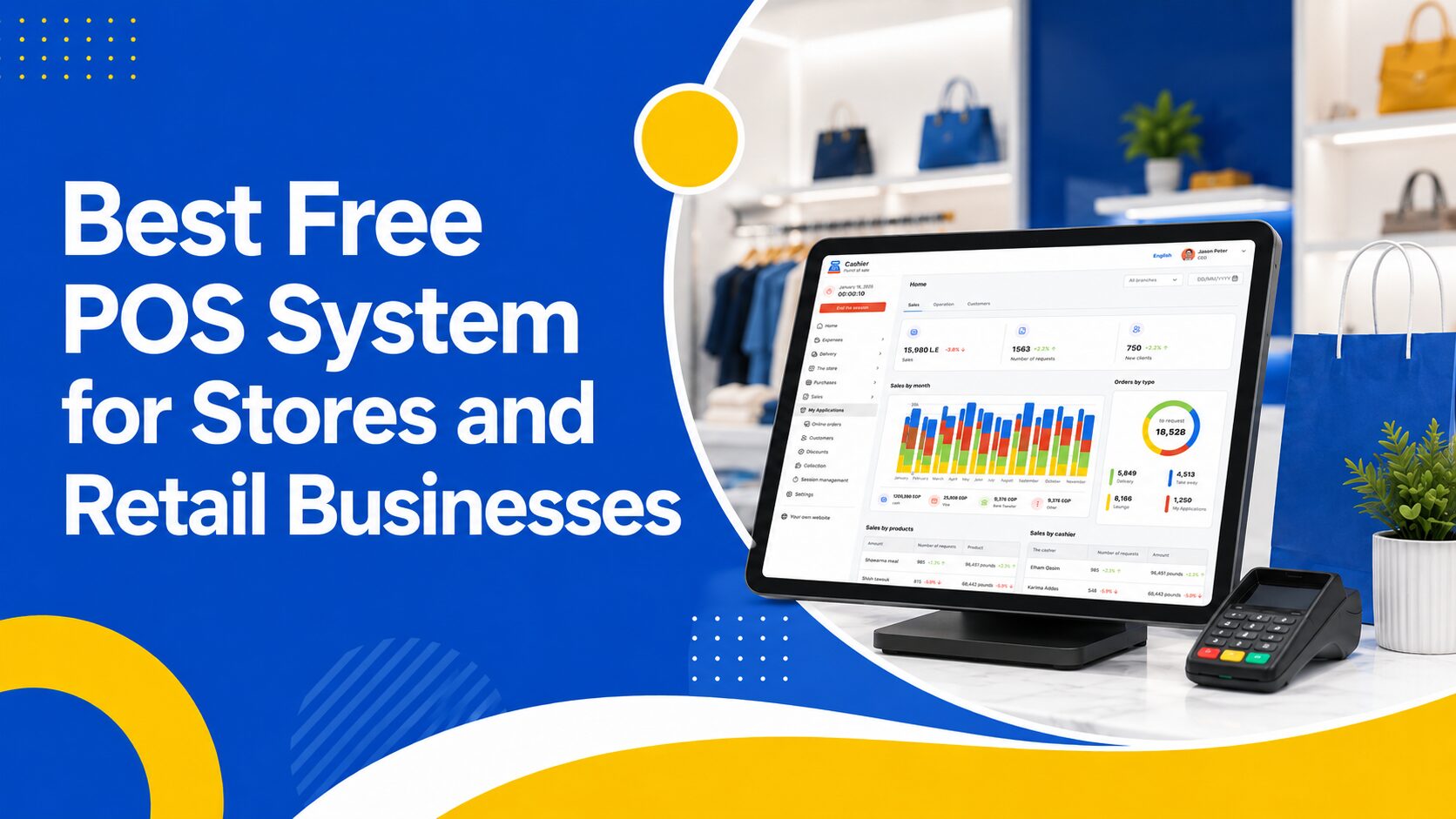
Choosing the right Free POS System is no longer just a technical decision. It is a business decision that affects sales speed, inventory accuracy, customer experience, staff performance, and daily profits.
Today, businesses need more than a basic cash register. They need a smart point of sale solution that helps them understand what is happening in real time: what products are selling, which items are running low, how employees are performing, which payment methods customers prefer, and how much revenue the business is generating every day.
Whether you run a restaurant, supermarket, café, retail store, clothing shop, grocery store, or small local business, relying on manual records or outdated cashier systems can slow you down. Small mistakes in pricing, stock levels, discounts, or reports can turn into serious losses over time.
That is why many business owners are now searching for a modern Free Point of Sale solution that is simple, flexible, and powerful enough to support daily operations.
In this article, we will explain how to choose the best POS system for your business, what features to look for, what mistakes to avoid, and how a solution like Cashier POS can help you manage sales, inventory, payments, reports, and employees from one easy platform.
Organize your sales in seconds with Cashier POS!
Take control of sales and users in moments, and give your business a fully integrated system that runs smoothly.
Get Started For FreeWhat Is a POS System?
A POS system, or point of sale system, is the software businesses use to complete sales transactions. It allows you to add products, calculate prices, apply discounts, accept payments, issue receipts, and record every sale.
But modern POS systems do much more than process payments.
A good POS system helps you manage your entire business. When a product is sold, the stock quantity updates automatically. When the day ends, you can review total sales, number of orders, top-selling products, low-stock items, employee activity, and payment methods.
In simple terms, the best POS system is not just a checkout screen. It is the central system that connects your sales, inventory, reports, customers, and team.
Why Your Business Needs a Modern POS System
Every business needs a clear way to manage daily operations. Manual notebooks, spreadsheets, calculators, and old cashier machines may work for a short time, but they become difficult to manage as your business grows.
A modern POS App helps you sell faster, reduce errors, and make better business decisions.
1. Reduce Daily Sales Errors
Manual sales processes can easily lead to mistakes. An employee may enter the wrong price, forget a discount, miscalculate a total, or sell an item without updating inventory.
These mistakes can affect customer trust and reduce profits.
A reliable POS system reduces these risks by storing product prices, taxes, discounts, and stock information in one place. Employees can complete sales with fewer manual steps, and every transaction is recorded clearly.
2. Speed Up the Checkout Process
Customers do not like waiting too long at checkout. A slow payment process can create frustration, especially during busy hours.
A modern POS system helps employees search for products quickly, add items to the cart, apply discounts, choose payment methods, and print receipts in seconds.
For restaurants, cafés, supermarkets, and retail stores, faster checkout means better customer service and smoother daily operations.
3. Improve Inventory Management
Inventory is one of the most important parts of any business. If you do not know what products are available, what is running low, or what is not selling, you may lose money without noticing.
A strong POS system updates inventory automatically after every sale. This helps you know exactly what is in stock and when to reorder.
With proper inventory tracking, you can avoid two common problems:
- Running out of popular products that customers want to buy.
- Holding too much stock of products that do not sell quickly.
A POS system gives you better control over your products, purchases, and stock decisions.
4. Understand Business Performance
A modern POS system gives you clear reports that help you understand how your business is performing.
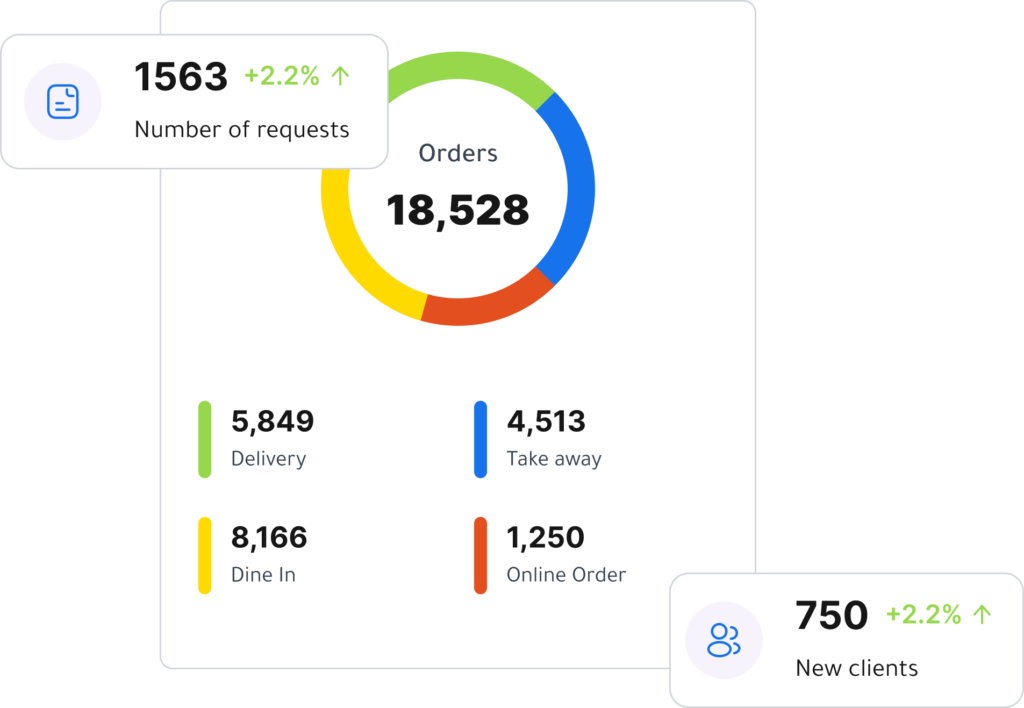
Instead of guessing whether sales are good or bad, you can check real numbers, such as:
- Daily sales.
- Number of transactions.
- Best-selling products.
- Slow-moving items.
- Total discounts.
- Refunds and returns.
- Payment methods.
- Employee performance.
- Branch performance.
These reports help you make smarter decisions about pricing, promotions, staffing, purchasing, and business growth.
5. Manage Your Business From Anywhere
Modern businesses need flexibility. You may want to check sales while you are away from the store, manage products from home, or review reports from another location.
Cashier POS is designed to work across different devices, including mobile, desktop, and web. This gives business owners more flexibility to manage sales and operations from the device that suits them best.

Key Features to Look for in the Best Free POS System
Not every POS system is suitable for every business. The best option is the one that combines ease of use, powerful features, and flexibility.
Here are the most important features to look for before choosing a POS system.
1. Easy and Fast Interface
The checkout screen is the part your employees will use every day. It should be simple, clear, and fast.
A complicated POS system can slow your team down and increase mistakes. Your staff should be able to add products, search for items, apply discounts, choose payment methods, and complete sales without long training.
The best POS system should make checkout simple even during busy hours.
This is especially important for restaurants, cafés, supermarkets, and high-traffic retail stores where speed matters.
2. Online and Offline POS Functionality
Internet connection problems can happen at any time. If your POS system stops working when the internet goes down, your business may lose sales and frustrate customers.
That is why an offline POS feature is very important.
A good system should allow you to continue selling even when the internet is unavailable. Once the connection returns, your data can sync again.
Cashier POS supports both online POS and offline POS usage, helping businesses continue operations smoothly even during connection issues.
This is a major advantage for stores and restaurants that cannot afford checkout interruptions.
3. Inventory Management
Inventory management should not be treated as an extra feature. It is a core part of any professional POS system.
Your POS should help you:
- Add and organize products.
- Track stock quantities.
- Update inventory after each sale.
- Identify low-stock products.
- Monitor slow-moving items.
- Manage product categories.
- Reduce stock errors.
For supermarkets and retail businesses, inventory accuracy is essential. For restaurants, product and ingredient tracking can help reduce waste and improve cost control.
A good POS system gives you better visibility over what you sell and what you need to restock.
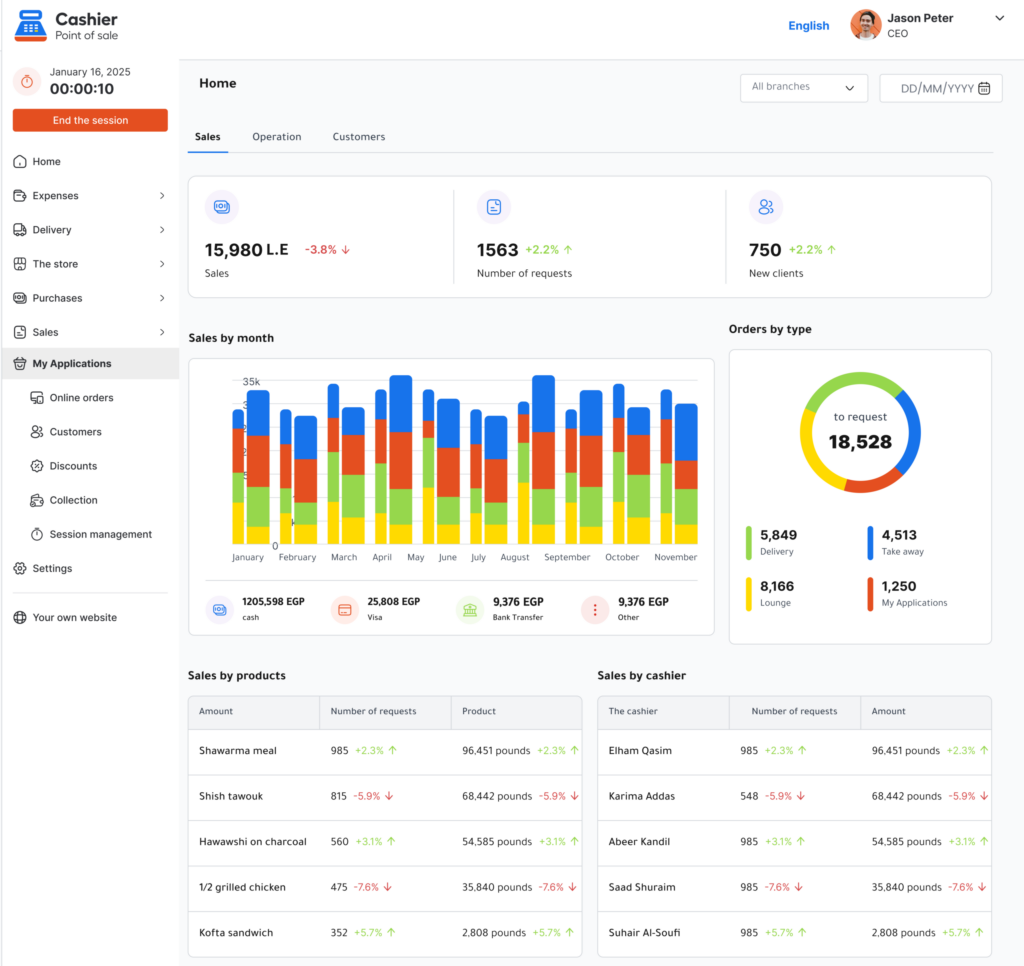
4. Clear Sales Reports and Analytics
Reports are what turn your POS system from a sales tool into a business management tool.
A system that only records sales without providing useful reports will not help you fully understand your business.
The best POS system should give you easy-to-read reports about sales, products, employees, payments, and daily performance.
These reports help you answer important questions:
- Which products generate the most sales?
- What are the busiest hours?
- Which employee processed the most transactions?
- Which items need promotion?
- Which payment methods are most used?
- Are discounts affecting profits?
- Are sales increasing or decreasing?
With accurate reports, you can stop guessing and start making decisions based on data.
5. Multiple Payment Methods
Customers expect flexibility when paying. Some prefer cash, while others use cards, digital wallets, or other payment options.
Your POS system should support different payment methods so your business can serve more customers easily.
Recording payment methods inside your POS also helps you understand customer behavior and organize daily accounting.
For restaurants, supermarkets, and retail stores, flexible payment options can improve the customer experience and reduce lost sales.
6. Professional Receipts and Invoices
Receipts are more than proof of payment. They are part of the customer experience and an important business record.
Your POS system should generate clear receipts that include:
- Business name.
- Products or services sold.
- Prices.
- Discounts.
- Taxes.
- Payment method.
- Total amount.
- Date and time.
- Cashier or employee name.
Professional receipts help with returns, accounting, customer service, and daily sales reviews.
7. Employee and User Management
Not every employee should have the same access inside your POS system.
A cashier may only need access to sales. A manager may need access to reports and refunds. The business owner may need full control over products, employees, settings, and analytics.
That is why user roles and permissions are important.
A good POS system should allow you to control what each user can view or change. This helps protect business data and reduces unwanted mistakes.
8. Support for Restaurants and Retail Businesses
Different businesses have different needs.
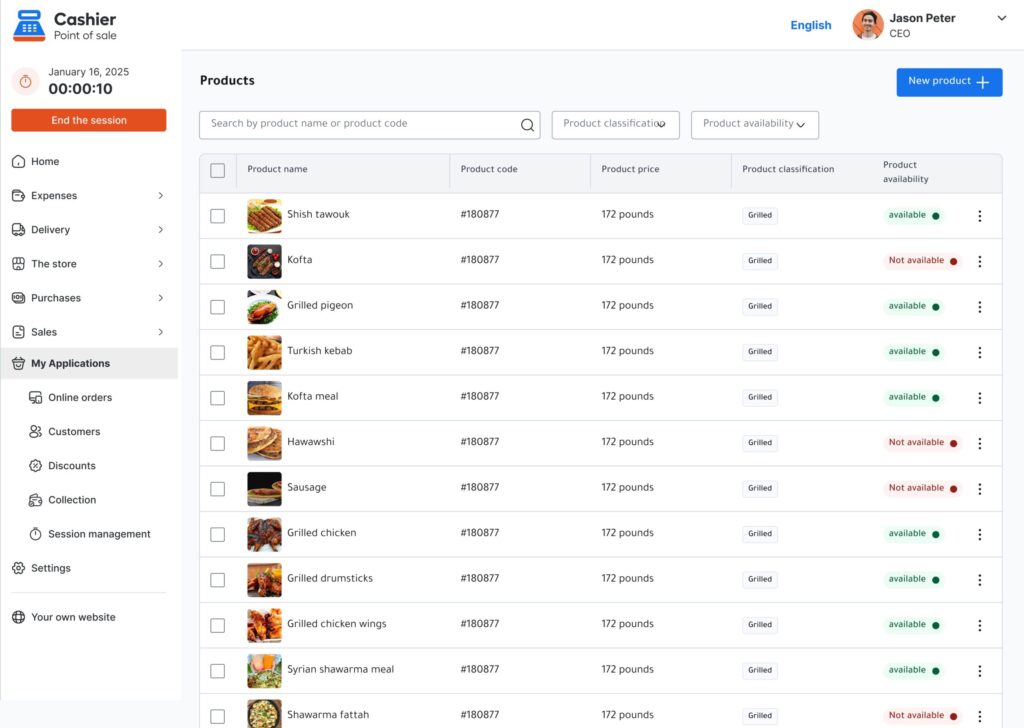
A restaurant POS may need menu management, quick ordering, order types, and flexible checkout.
A supermarket POS may need barcode support, fast product search, and inventory tracking for many items.
A retail store may need product categories, variants, discounts, returns, and sales reports.
When choosing a POS system, make sure it fits your business type.
Cashier POS is built for restaurants, supermarkets, and retail businesses of different sizes, making it a flexible option for many industries.
9. Works on Multiple Devices
Business owners need flexibility. You may want to use a mobile phone, tablet, desktop computer, or web browser depending on how your business operates.
A flexible POS system should not lock you into one device.
Cashier POS is available as a mobile app for iOS and Android, a desktop app, and a web-based POS. This makes it easier to manage your business from the device that works best for you.
Whether you are at the counter, in the office, or away from the store, having multi-device access gives you more control.
10. Ability to Grow With Your Business
Your business may start small, but it may not stay small forever.
You may add more products, hire more employees, open more branches, or expand into new sales channels.
That is why your POS system should be able to grow with you.
Before choosing a system, ask yourself:
- Can it handle more products?
- Can it support more users?
- Can it help with more sales volume?
- Can it work for different business types?
- Can it support future expansion?
Choosing a flexible POS system from the beginning saves time and avoids the need to switch systems later.
How to Choose the Right POS App for Your Business
Choosing the right POS app should not be based only on price. You need to evaluate how well the system fits your business needs.
Here are the most important steps.
Identify Your Main Business Challenges
Start by asking what problem you want to solve first.
- Is checkout too slow?
- Are inventory records inaccurate?
- Do you need better sales reports?
- Are employees making too many pricing mistakes?
- Do you need to manage sales from multiple devices?
- Do you need an offline POS system?
- Do you want a free POS system to reduce startup costs?
Once you know your priorities, it becomes easier to choose the right system.
Match the POS System to Your Industry
A small retail shop does not have the same needs as a restaurant. A supermarket does not operate the same way as a café.
Restaurants need speed and order organization.
Supermarkets need barcode-friendly checkout and strong inventory tracking.
Retail stores need product categories, discounts, returns, and reports.
Before choosing a POS system, make sure it supports your business model.
Test Ease of Use
A POS system should make work easier, not harder.
Before using any system, test the basic actions your team will perform every day:
- Adding a product to a sale.
- Searching for an item.
- Applying a discount.
- Accepting payment.
- Issuing a receipt.
- Checking sales reports.
- Updating inventory.
If the process feels complicated, employees may struggle during real work hours.
Review Reporting Features
A POS system without clear reports gives you limited value.
Look for reports that help you understand sales, products, employees, payment methods, and inventory performance.
The more useful the reports are, the easier it becomes to improve your business.
Check Online and Offline Availability
If your internet connection is not always stable, offline access is essential.
Choosing a POS system that supports offline selling helps protect your business from interruptions.
Cashier POS is designed to support both online and offline selling, making it suitable for businesses that need reliable operations at all times.
Why Cashier POS Is a Smart Choice for Businesses
Cashier POS is a free point of sale system built for restaurants, supermarkets, and retail businesses of all sizes.
It helps business owners manage sales, payments, inventory, users, and daily operations from one simple platform.
One of the biggest advantages of Cashier POS is flexibility. It works online and offline, which means your business can continue selling even when the internet is unavailable.
Cashier POS is also available across multiple platforms, including:
- iOS mobile app.
- Android mobile app.
- Desktop app.
- Web-based POS.
This makes it a practical solution for business owners who want to manage operations from different devices.
Whether you need a restaurant POS, a retail POS, a supermarket POS, or a simple POS app for a small business, Cashier POS gives you the tools you need without unnecessary complexity.
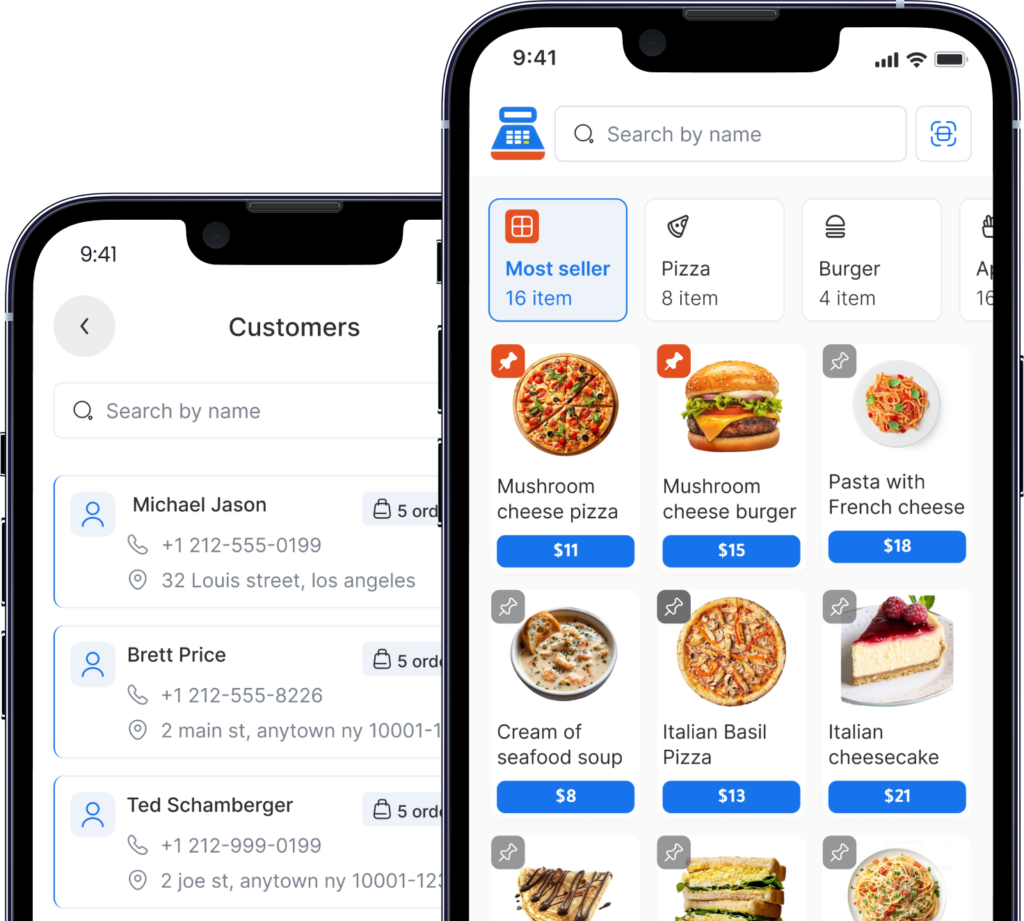
Benefits of Using Cashier POS
1. Free POS System for Growing Businesses
Many small businesses want to start with a reliable POS system without paying high software costs.
Cashier POS gives business owners access to a free point of sale solution that helps them organize sales and operations more professionally.
For startups, small shops, restaurants, and local stores, this can reduce costs while improving daily management.
2. Works Online and Offline
Cashier POS supports online and offline selling, helping businesses continue operations even when the internet connection is unstable.
This is especially useful during busy hours when stopping sales is not an option.
3. Suitable for Restaurants, Supermarkets, and Retail
Cashier POS is built for different types of businesses.
Restaurants can use it to manage orders and sales.
Supermarkets can use it to process sales quickly and track stock.
Retail stores can use it to organize products, payments, and reports.
This flexibility makes it suitable for businesses of different sizes and industries.
4. Available on Mobile, Desktop, and Web
Cashier POS is not limited to one device.
You can use it as a mobile POS app, desktop POS, or web-based POS system. This gives you the freedom to run your business from the device that fits your workflow.
5. Better Visibility Over Sales and Operations
With Cashier POS, business owners can track daily activity more clearly.
Instead of depending on manual notes or scattered records, you can manage important business information from one system.
This helps you understand sales trends, improve stock control, and make better decisions.
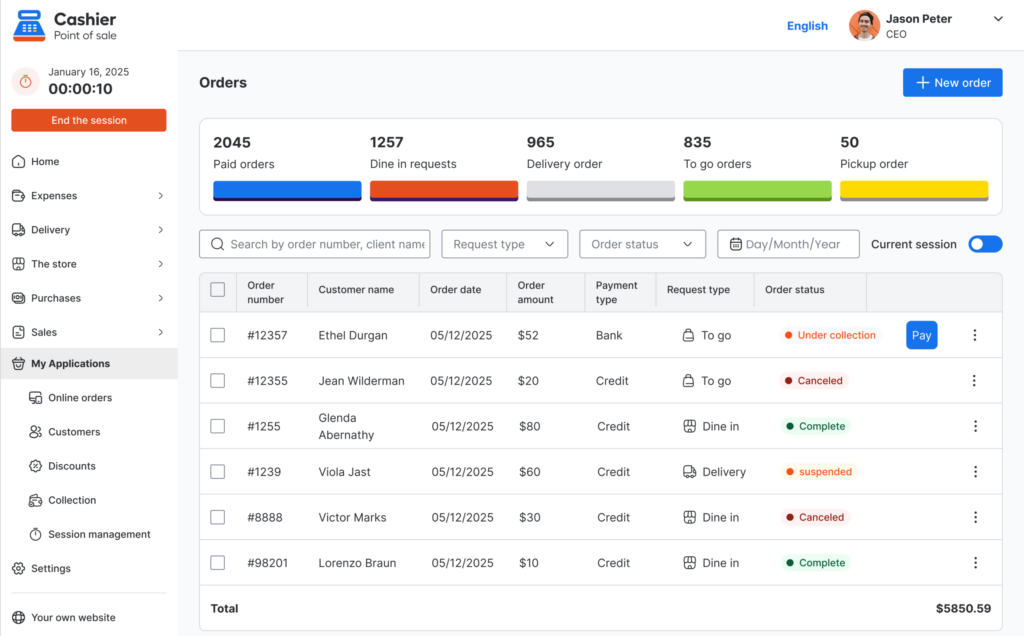
Common Mistakes to Avoid When Choosing a POS System
Choosing the wrong POS system can create problems later. Here are some common mistakes business owners should avoid.
Choosing Based on Price Only
Price is important, but it should not be the only factor.
A low-cost or free system is valuable only if it provides the features your business actually needs. Look for ease of use, inventory tools, reports, device flexibility, and offline support.
Ignoring Future Growth
Your business may grow faster than expected. If your POS system cannot handle more products, more users, or more sales, you may need to switch later.
Choose a POS system that can support your business now and in the future.
Not Training Employees
Even an easy POS system requires basic training.
Employees should know how to process sales, apply discounts, handle returns, choose payment methods, and close daily operations correctly.
A short training session can reduce mistakes and improve speed.
Not Reviewing Reports
Many businesses use POS software only for checkout and ignore reports.
This is a missed opportunity.
Reports can show you what is working, what is not working, and where you can improve. Reviewing reports regularly helps you manage your business more professionally.
Choosing a System Without Offline Access
If your POS system depends completely on the internet, your business may stop when the connection fails.
An offline POS system gives you more reliability and protects your sales flow.
Tips to Get the Most Out of Your POS System
A POS system is most valuable when you use it consistently and correctly.
Here are some practical tips.
Review Sales Every Day
Make daily sales review part of your routine.
Check total sales, number of transactions, top-selling items, discounts, and payment methods.
This helps you notice changes early and respond quickly.
Use Product Reports for Purchasing Decisions
Do not buy new stock based only on guessing.
Use product reports to understand what sells quickly and what does not move. This helps you reduce dead stock and invest in products customers actually want.
Keep Product Data Organized
Organized product names and categories make your POS system easier to use.
Create a clear naming structure for products from the beginning. This improves search, reporting, and inventory management.
Monitor Discounts and Returns
High sales do not always mean high profits.
If discounts and returns are too high, your profit margin may suffer.
Use your POS reports to track discounts and returns and understand why they are happening.
Check Inventory Regularly
Even with automatic inventory tracking, physical stock checks are still important.
Regular inventory reviews help you identify missing items, damaged products, stock errors, or differences between the system and real stock.
Organize your sales in seconds with Cashier POS!
Take control of sales and users in moments, and give your business a fully integrated system that runs smoothly.
Get Started For FreeFrequently Asked Questions (FAQ)
The best free POS system for small businesses is one that is easy to use, supports sales tracking, manages inventory, works across devices, and provides clear reports. Cashier POS is a strong option for small businesses because it is free, flexible, and designed for restaurants, supermarkets, and retail stores.
Yes. Some POS systems support offline selling. Cashier POS works online and offline, allowing businesses to continue selling even when the internet connection is unavailable.
A cash register mainly records transactions and stores cash, while a POS app can manage sales, inventory, payment methods, employees, receipts, and reports. A modern POS app gives business owners more control and better visibility.
Yes. Cashier POS can be used as a restaurant POS system. It helps restaurants manage sales, payments, orders, and daily operations more efficiently.
Yes. Cashier POS is suitable for retail stores, supermarkets, grocery stores, cafés, restaurants, and other businesses that need a reliable point of sale system.
You can start using Cashier POS through its available platforms, including mobile apps, desktop app, and web-based POS. This gives business owners flexible access depending on their preferred device.
Conclusion
Choosing the best free POS system is an important step for any business that wants to sell faster, reduce mistakes, manage inventory, and understand performance clearly.
A modern POS system should do more than issue receipts. It should help you manage sales, track stock, monitor employees, accept payments, and review reports from one place.
When choosing a POS system, focus on ease of use, offline access, inventory management, reporting, device flexibility, and business growth.
Cashier POS is a practical solution for restaurants, supermarkets, and retail businesses looking for a free, flexible, and easy-to-use point of sale system. With online and offline support, mobile, desktop, and web access, it gives business owners the tools they need to manage daily operations with more confidence.
In the end, the best POS system is the one that makes your work easier, your numbers clearer, and your business decisions smarter.